 WebEaze
Requests is your record of every website change you've asked us for, all in one place in your Client Portal. It appears once we've completed your first request.
Where to find it
Open your portal and choose Requests in the menu.
What you'll see
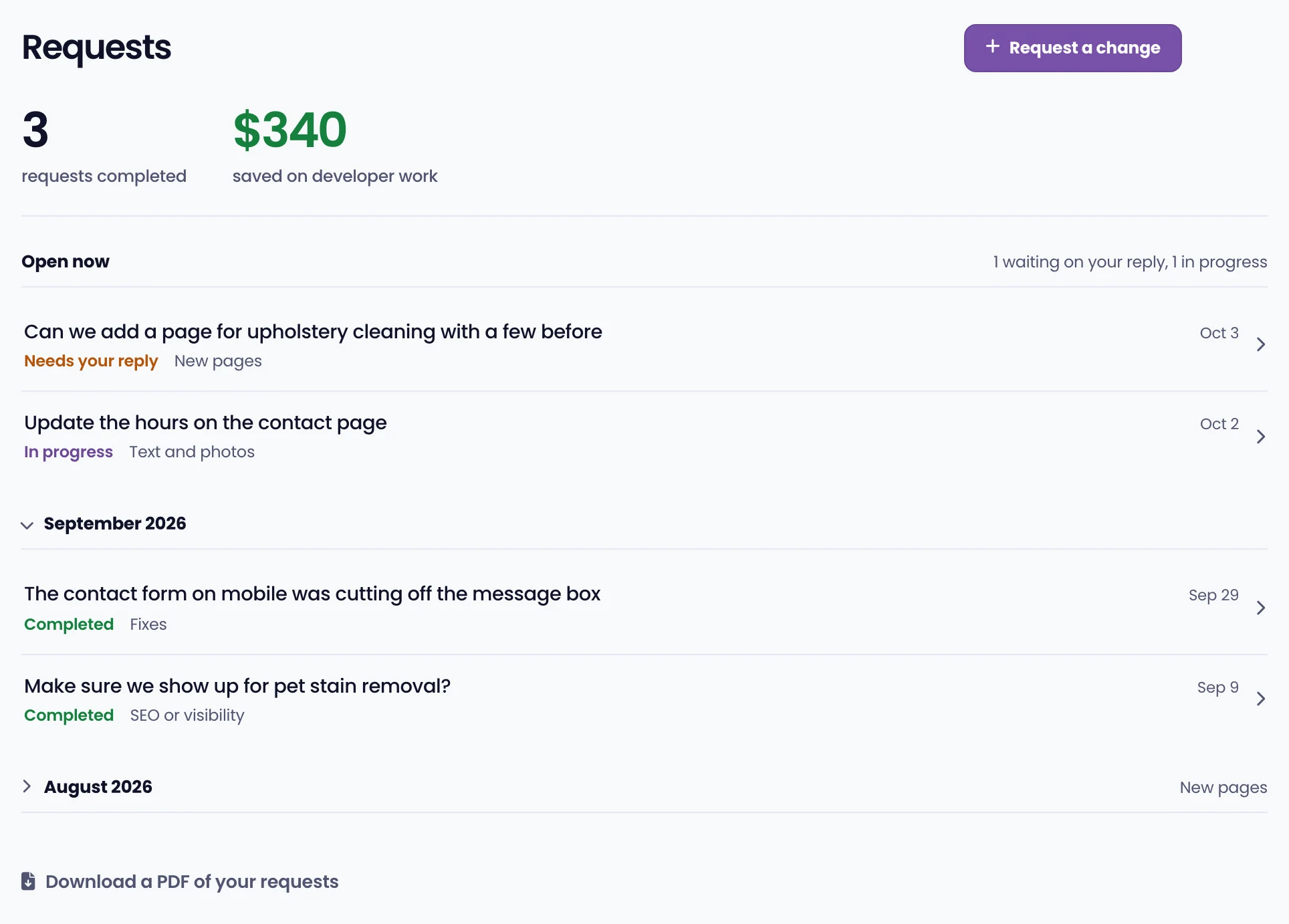
At the top are two quick stats: how many requests we've completed for your site, and an estimate of what you've saved versus hiring a developer. Below that, anything still open is listed first, with the date it's expected. Finished work follows, grouped by month.
Each request shows its status:
- Received means we have your request.
- In progress means we're working on it.
- Needs your reply means we have a question. Open it and reply to keep it moving.
- Completed means the change is live, with a note of what was done.
Why it's useful
It's your paper trail. You can look back at exactly what changed and when, reply to anything we're waiting on, and see the value your plan adds over time.
Select any request to open it. You'll see what you asked for, what we did, and every message about it. To keep a copy of everything, select Download a PDF of your requests at the bottom of the page.