 WebEaze
Your website is one of your best salespeople. Every time someone reaches out through it, we count that as a lead and show it to you in your portal.
2 kinds of Leads
Visitors may interact with your website in different ways. Some leave a message, while others just tap a button or link.
Messages are people who left their details. A contact form gives you their name, phone, email and what they asked for, so you can answer them. These are the ones you should act on, and show up as the main count on your Leads page.
Taps are other indicators of interest: someone tapping your phone number to ring you, tapping your email address, or tapping a booking or quote button. They tell you somebody was interested, but they carry no name and no number. These are grouped under Other activity at the bottom of the page.
Where to find your leads
Go to your portal and select  > Leads. You'll also see a quick count on your Home page.
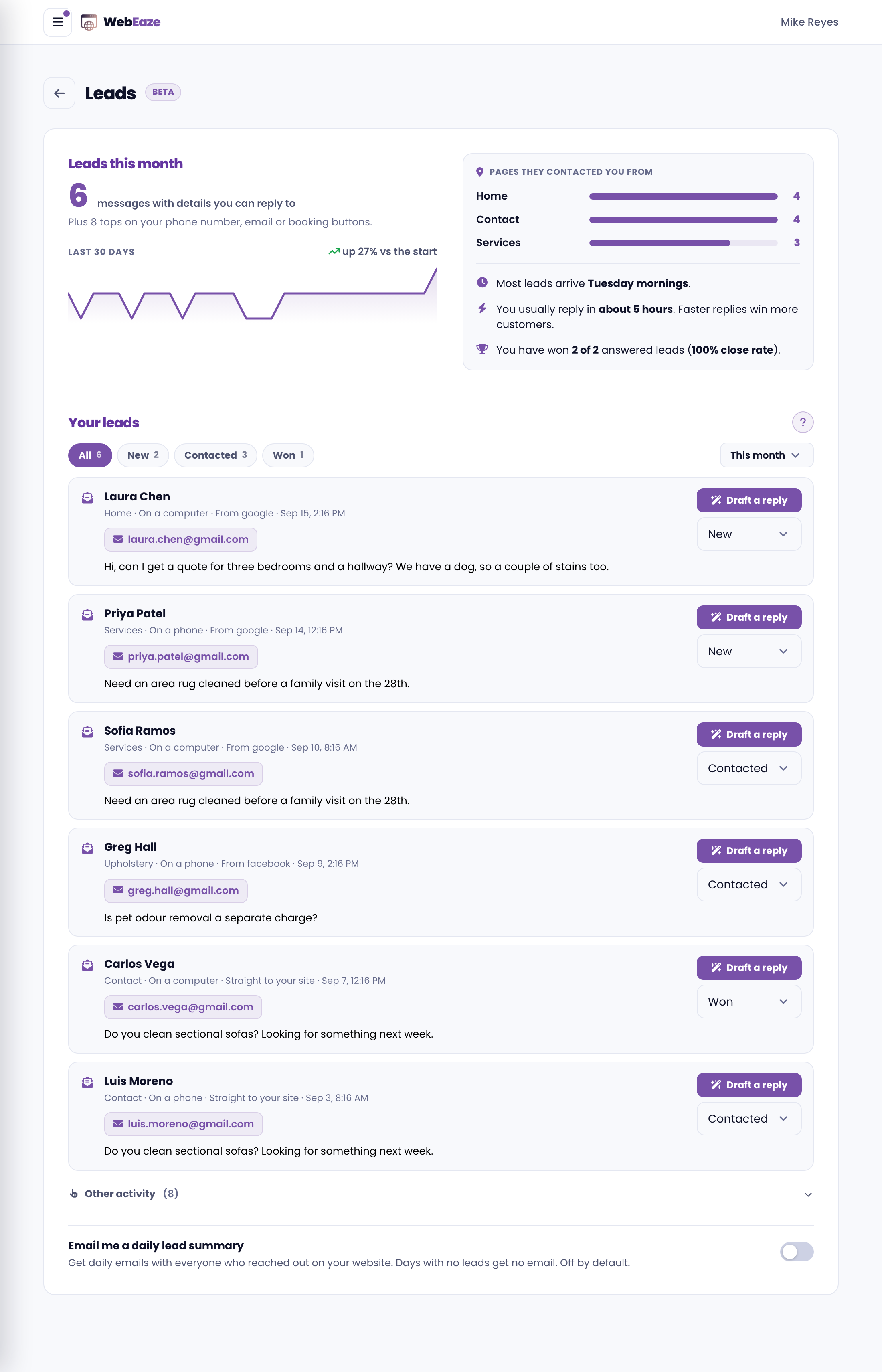
The number at the top is your messages this month, the ones with details you can reply to. Under it, we tell you how many taps came in.
Every message shows who reached out, which page they were on, whether they were on a phone or a computer, where they found you, and when. That's usually enough to know who to contact first.
Follow up in one tap
For every message, the portal gives you a head start:
- Tap the phone number or email to call or message them right away.
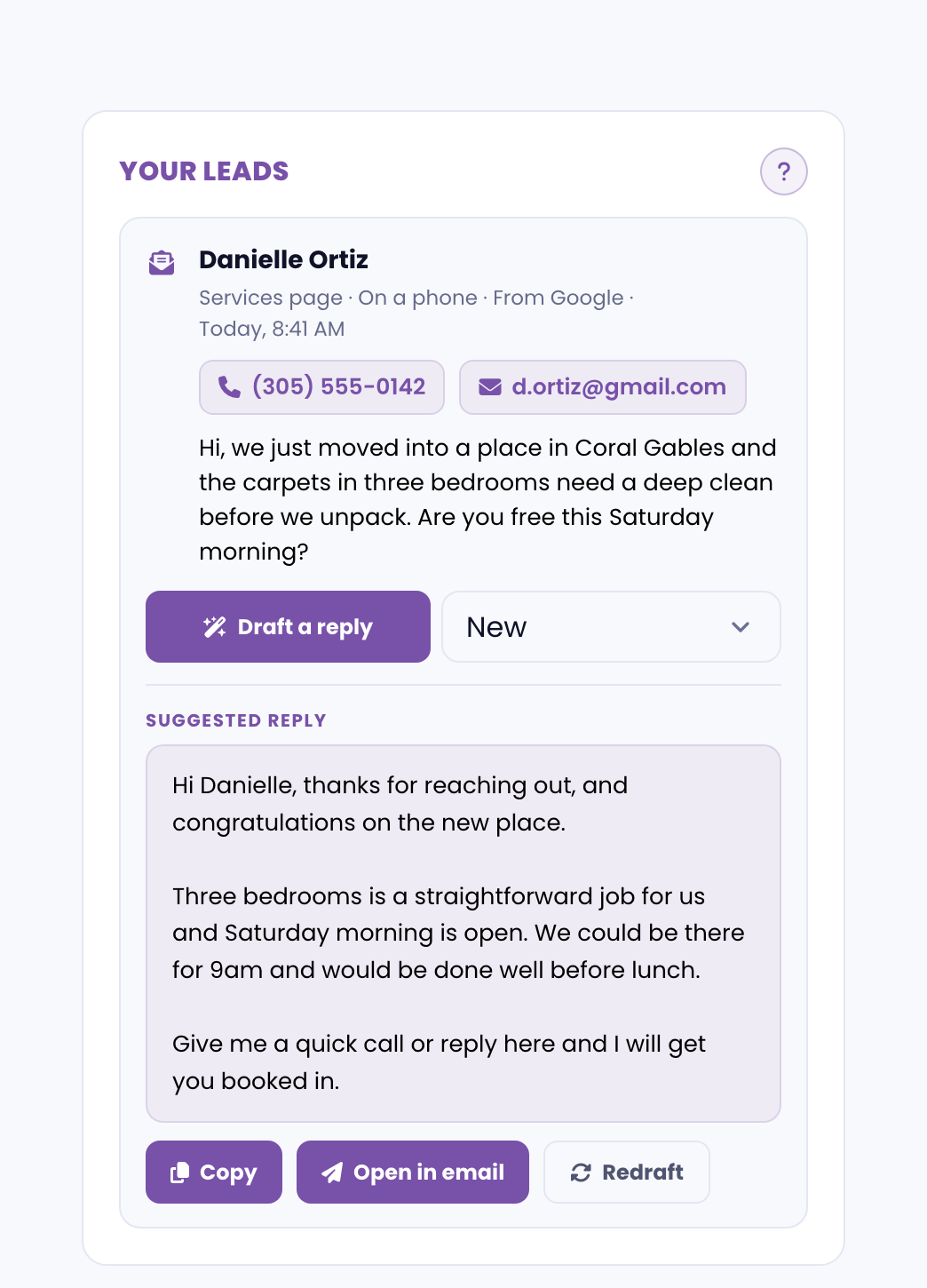
- Select Draft a reply and we write a warm, ready-to-send response tailored to what they asked. Copy it, or open it straight in your email with one tap, then edit and send.
- As you work through them, set each one to Contacted, Won or Lost, so you can always see at a glance who is still waiting on you.
Other activity
Open Other activity to see every tap on your phone number, email address or booking buttons, with the page it happened on and the time.
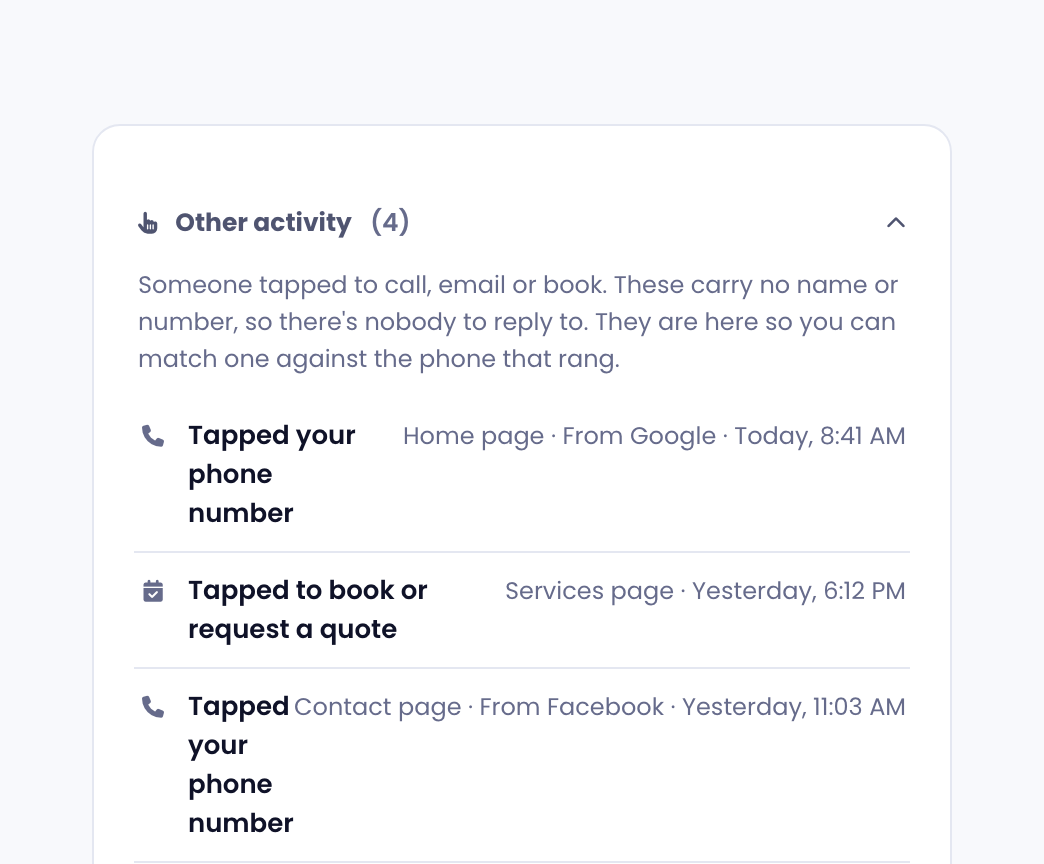
There's nothing to reply to here, but the time is the useful part. If someone tapped your number at 8:41 and you have a missed call around then, that's the one worth chasing.
Your daily lead summary
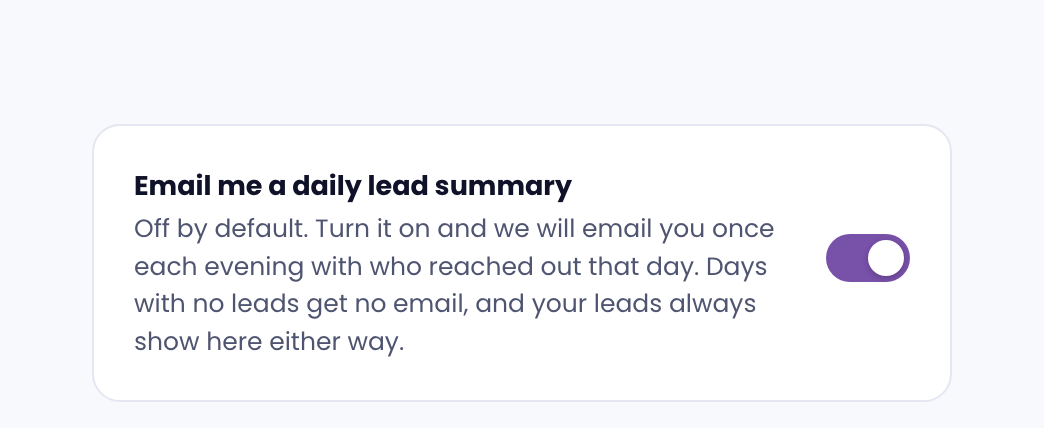
This setting is turned off by default. At the bottom of the page, you can enable it to receive a daily summary of your leads.
When enabled, once a day after working hours, we'll email you a summary of the leads your website brought in that day.
If you're on a Growth plan, you get a ready-to-send reply in that email, so you can follow up without even opening the portal.
Growth and Essential plans
Both plans include a Leads overview.
If you're on a Growth plan, you also receive the full lead inbox which includes:
- Each person's name, phone, email, and message
- One-tap follow-up
- AI-drafted replies
I don't see any leads
Lead tracking is switched on for you when your site goes live if we built it.
You may not see the Leads tab available in your portal if you joined with an existing website. Submit a request to get your leads set up.