 WebEaze
Your portal dashboard is the home page of your Client Portal, where you view your live site report, submit a website request, and see your plan and account details at a glance.
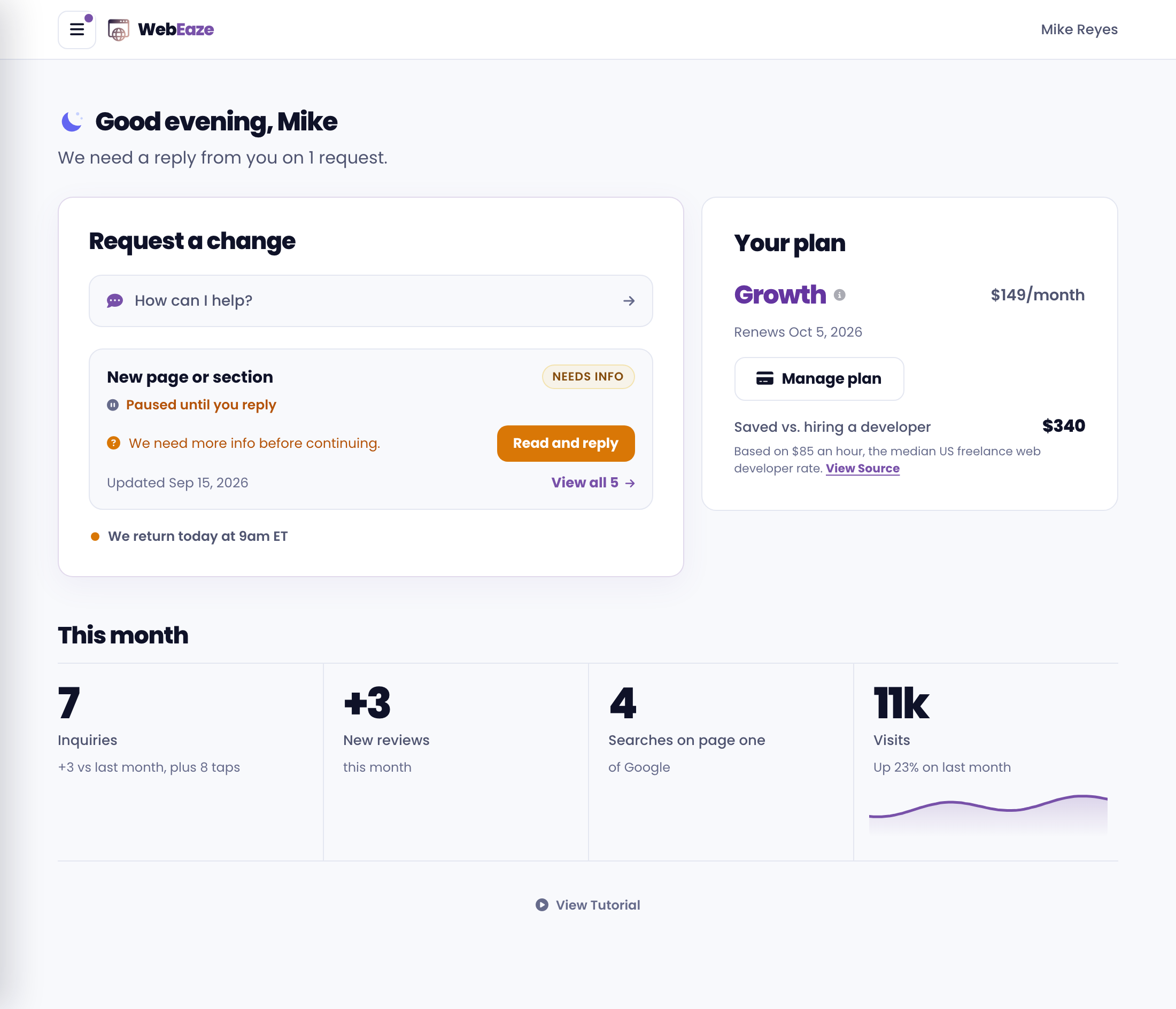
Request a change
Submit a change easily by selecting the "How can I help?" button in this section. You'll go through a seamless chat or form experience to submit your request.
If you're on our Growth plan, you may be offered to chat, video, or call us instead for faster help.
Your plan
The Your plan card shows your current plan, status, and benefits, plus a link to your Stripe billing portal to update payment details or view invoices.
You can access all of this by logging into your Client Portal.